> ## Documentation Index
> Fetch the complete documentation index at: https://omnifit-64.mintlify.site/llms.txt
> Use this file to discover all available pages before exploring further.
# Subscription & Plans
> Looking to understand and manage your subscription effectively? This guide walks you through the complete process.
## Platform Subscriptions
The platform offers a flexible, SaaS-based subscription model that allows you to scale usage based on your operational needs. You can manage your subscription, message limits, and add-ons directly from the Dashboard.
Subscriptions are structured around **pricing plans** and **message add-ons**, giving you granular control over monthly or yearly consumption.
***
## Current Subscription
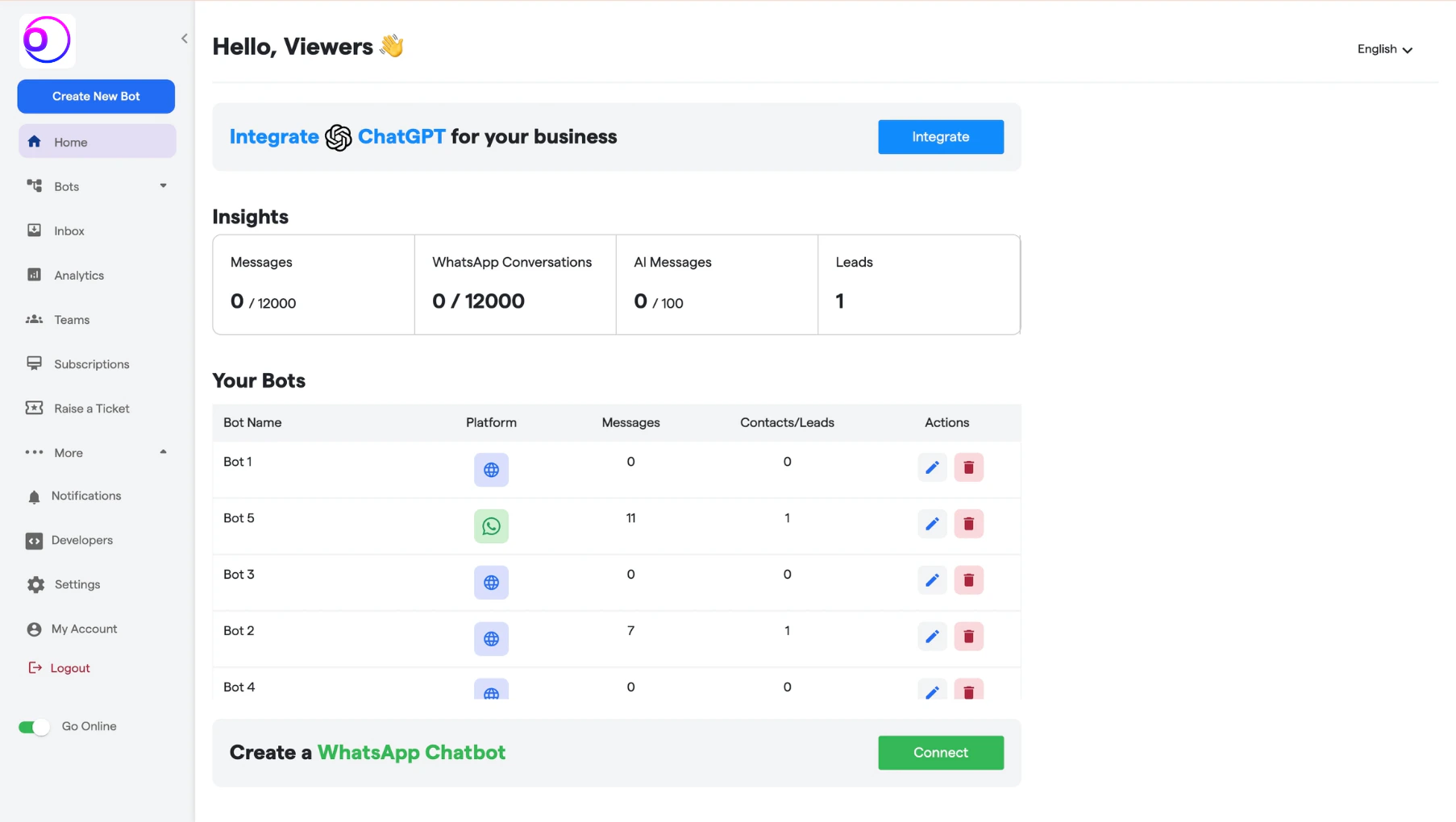
You can review your active subscription details from the **Subscriptions** section within the Dashboard.
**How to access:**
* Navigate to the left-side menu
* Click on **Subscriptions**
* Open the **Subscriptions** tab
Here, you will be able to view:
* Your current plan
* Billing cycle (Monthly / Yearly)
* Message limits
* Active add-ons
* Renewal status
***
## Pricing Plans Overview
The platform offers four core subscription tiers designed to support businesses at different stages of growth.
### Starter Plan
* **Price:** \$49 / Month
* **Messages:** 2,000
* **Chatbots:** 2
### Starter Plus Plan
* **Price:** \$99 / Month
* **Messages:** 5,000
* **Chatbots:** 4
* **Human Agents:** 1
### Growth Plan
* **Price:** \$199 / Month
* **Messages:** 12,000
* **Chatbots:** 12
* **Human Agents:** 4
### Pro Plan
* **Price:** \$399 / Month
* **Messages:** 25,000
* **Chatbots:** 35
* **Human Agents:** 10
You can switch between **Monthly** and **Yearly** billing at any time.
 ***
## Upgrade Your Plan
Upgrading your plan is a streamlined, self-serve process.
1. Navigate to **Subscriptions** from the left menu and open the **Plan** tab.
***
## Upgrade Your Plan
Upgrading your plan is a streamlined, self-serve process.
1. Navigate to **Subscriptions** from the left menu and open the **Plan** tab.
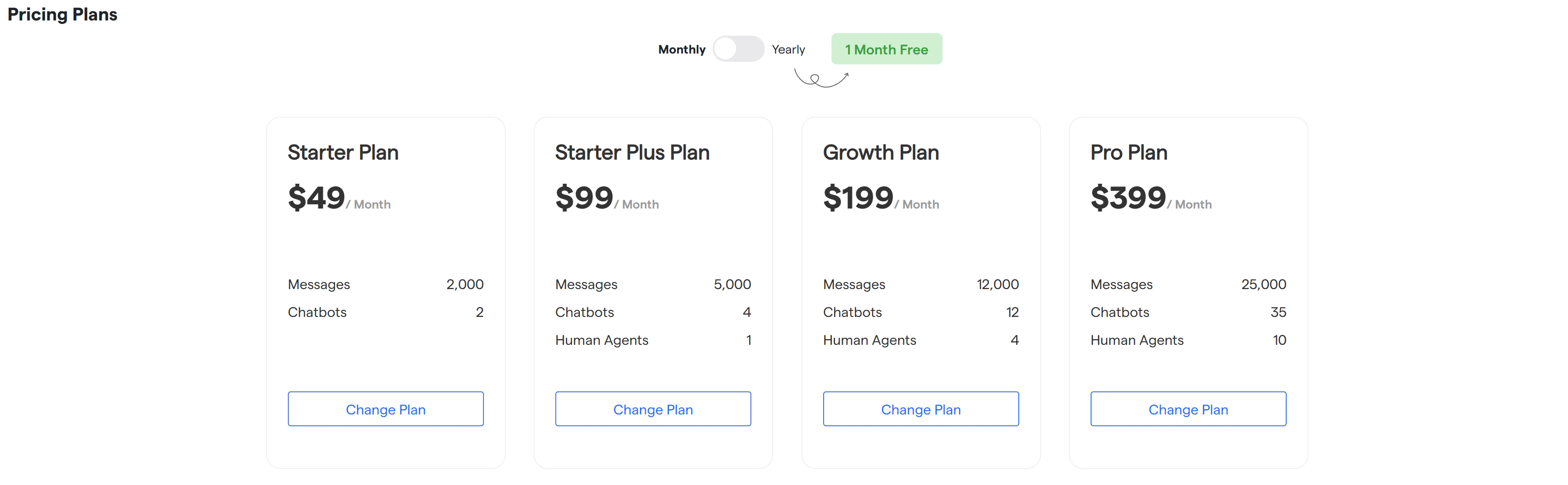 2. On the plans screen:
1. Select billing frequency: choose between **Monthly** or **Yearly** billing using the toggle.
2. Review available plans: Compare plan limits such as message volume, chatbot count, and human agent allocation.
3. Select a plan: Click on the **Change Plan** button under the desired plan.
3. Follow the on-screen checkout instructions to complete payment.
Once payment is successful, your new plan is activated immediately, and updated limits apply from the same billing cycle.
***
## Message Add-ons
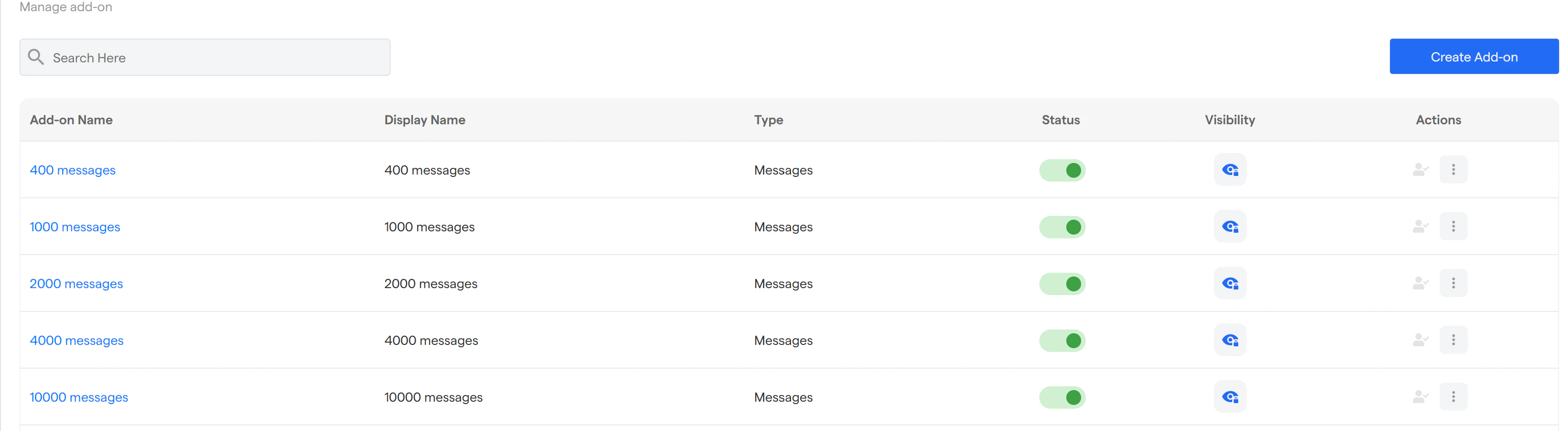
If your usage exceeds the base plan limits, you can extend capacity using **message add-ons**.
### Available Add-ons
* 400 messages
* 1,000 messages
* 2,000 messages
* 4,000 messages
* 10,000 messages
Add-ons can be:
* Enabled or disabled from the **Manage Add-ons** section
* Controlled for visibility
* Activated instantly without changing your base plan
* Select the options that best meet your requirements.
2. On the plans screen:
1. Select billing frequency: choose between **Monthly** or **Yearly** billing using the toggle.
2. Review available plans: Compare plan limits such as message volume, chatbot count, and human agent allocation.
3. Select a plan: Click on the **Change Plan** button under the desired plan.
3. Follow the on-screen checkout instructions to complete payment.
Once payment is successful, your new plan is activated immediately, and updated limits apply from the same billing cycle.
***
## Message Add-ons
If your usage exceeds the base plan limits, you can extend capacity using **message add-ons**.
### Available Add-ons
* 400 messages
* 1,000 messages
* 2,000 messages
* 4,000 messages
* 10,000 messages
Add-ons can be:
* Enabled or disabled from the **Manage Add-ons** section
* Controlled for visibility
* Activated instantly without changing your base plan
* Select the options that best meet your requirements.
 ***
## Downgrade or Cancel Subscription
If you need to reduce usage or pause billing, you can downgrade your plan at any time.
1. Go to **Subscriptions** → **Plan** tab from the Dashboard.
2. Select the **Free / Lower Plan** option available under your current plan.
3. Confirm the downgrade request in the confirmation modal by clicking **Downgrade**.
4. Once confirmed:
1. The downgrade request will be queued
2. Your existing plan remains active until the end of the billing cycle
3. No further charges will apply after the cycle ends
You can track the downgrade status directly from the **Subscriptions** tab.
***
***
***
## Downgrade or Cancel Subscription
If you need to reduce usage or pause billing, you can downgrade your plan at any time.
1. Go to **Subscriptions** → **Plan** tab from the Dashboard.
2. Select the **Free / Lower Plan** option available under your current plan.
3. Confirm the downgrade request in the confirmation modal by clicking **Downgrade**.
4. Once confirmed:
1. The downgrade request will be queued
2. Your existing plan remains active until the end of the billing cycle
3. No further charges will apply after the cycle ends
You can track the downgrade status directly from the **Subscriptions** tab.
***
***