Step 1: Access the Meta Business Suite
- Open your web browser and navigate to the Meta Business Suite.
- Log in to your Meta Business Suite account using your credentials.
Step 2: Locate and Access Business Settings
- In the Meta Business Suite, find the top-left dropdown menu that displays your business account name.
- Click on the Settings (gear) icon next to your business account name.
Step 3: Navigate to Business Settings
- After clicking the Settings (gear) icon, a dropdown menu will appear.
- Click on “Business settings” from the dropdown menu.
Step 4: Access WhatsApp Manager
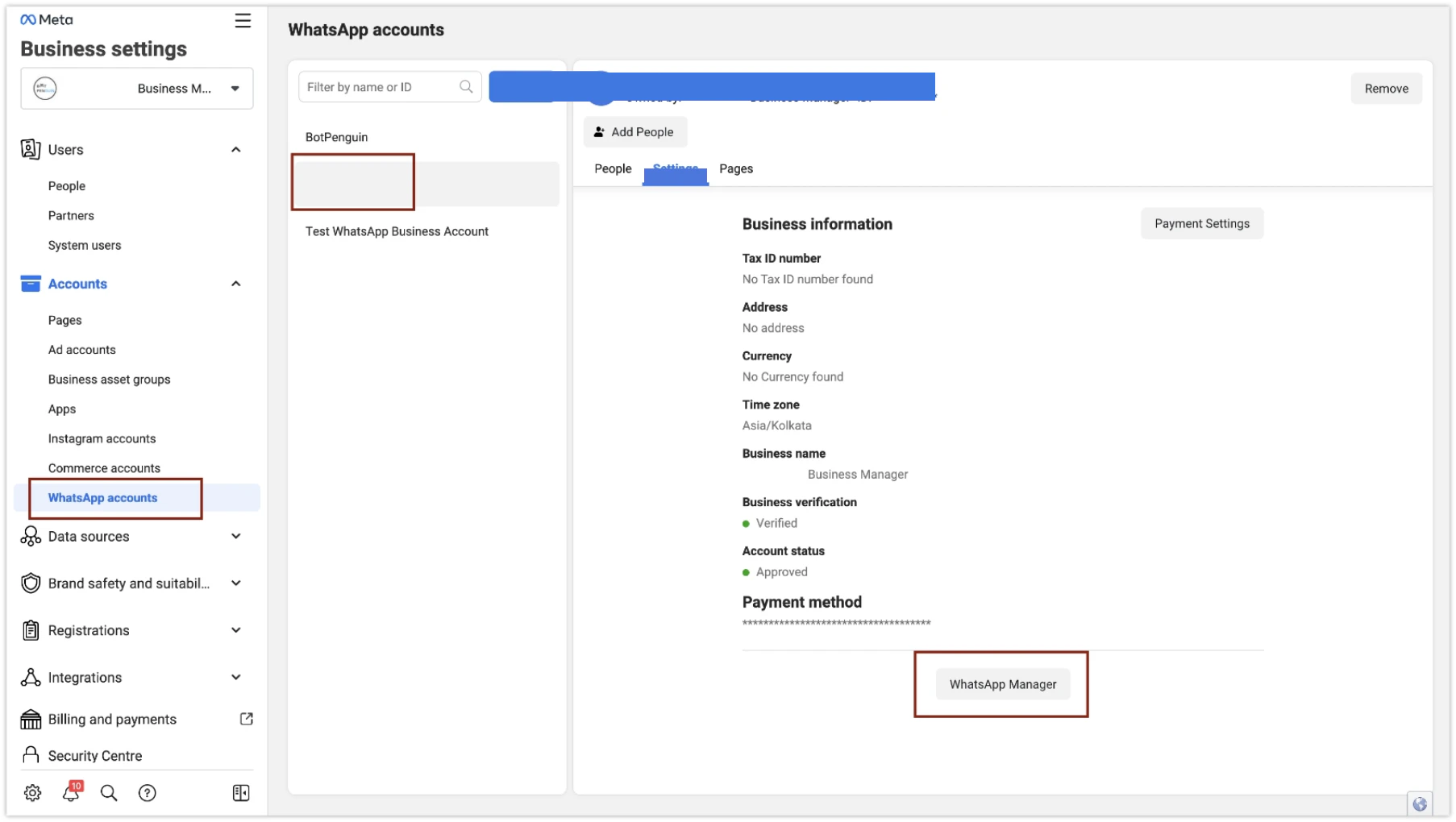
- In the Business Settings section, locate and click on “WhatsApp Account” under the “Accounts” tab on the sidebar.
- Select your WhatsApp account and click on the “Settings” tab to find the WhatsApp Manager.
-
Open WhatsApp Manager.
Step 5: Select the WhatsApp Account for Green Tick
From the list of WhatsApp accounts, choose the account you want to apply for the green tick.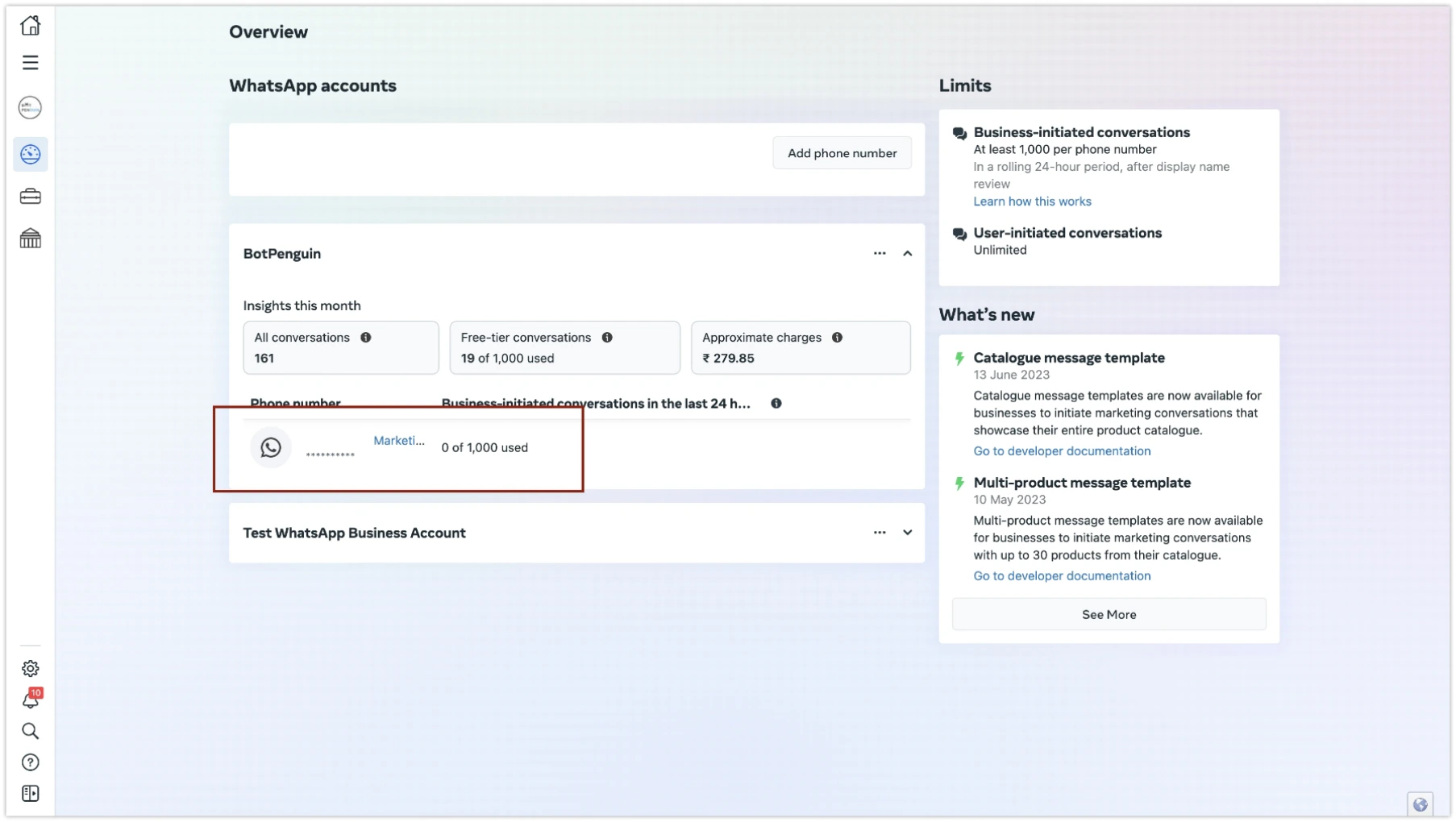
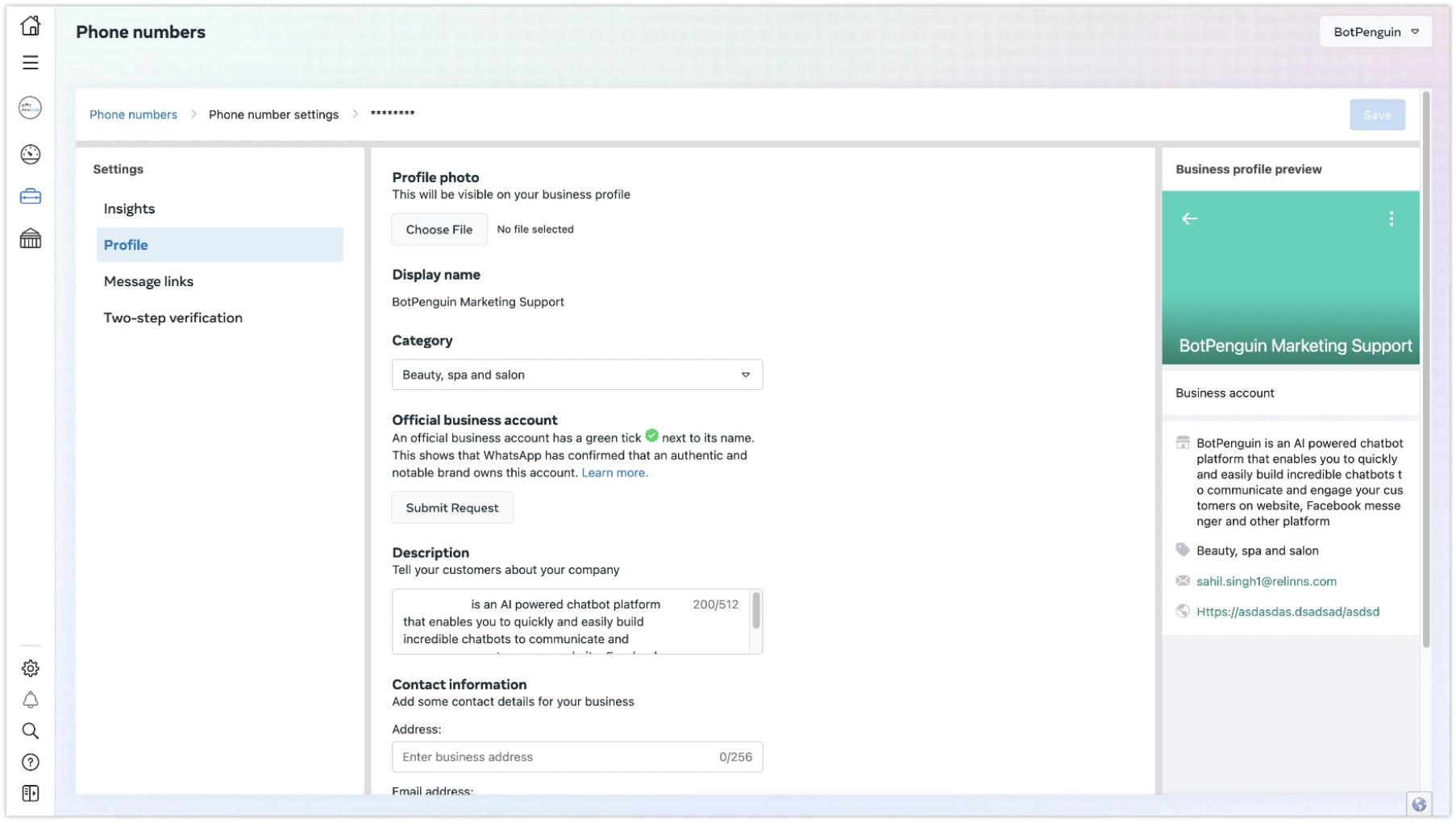
Step 6: Update your WhatsApp profile and Save
By default, It will take you to the profile page, You can update your profile here and click the “Save” button on the top right corner. You can also open this page from Phone number settings.