
You can Reconnect your Bot by following these easy steps.
- Login to OmnifitAI app and go on Home section.
- Click on Bots section from the left panel.
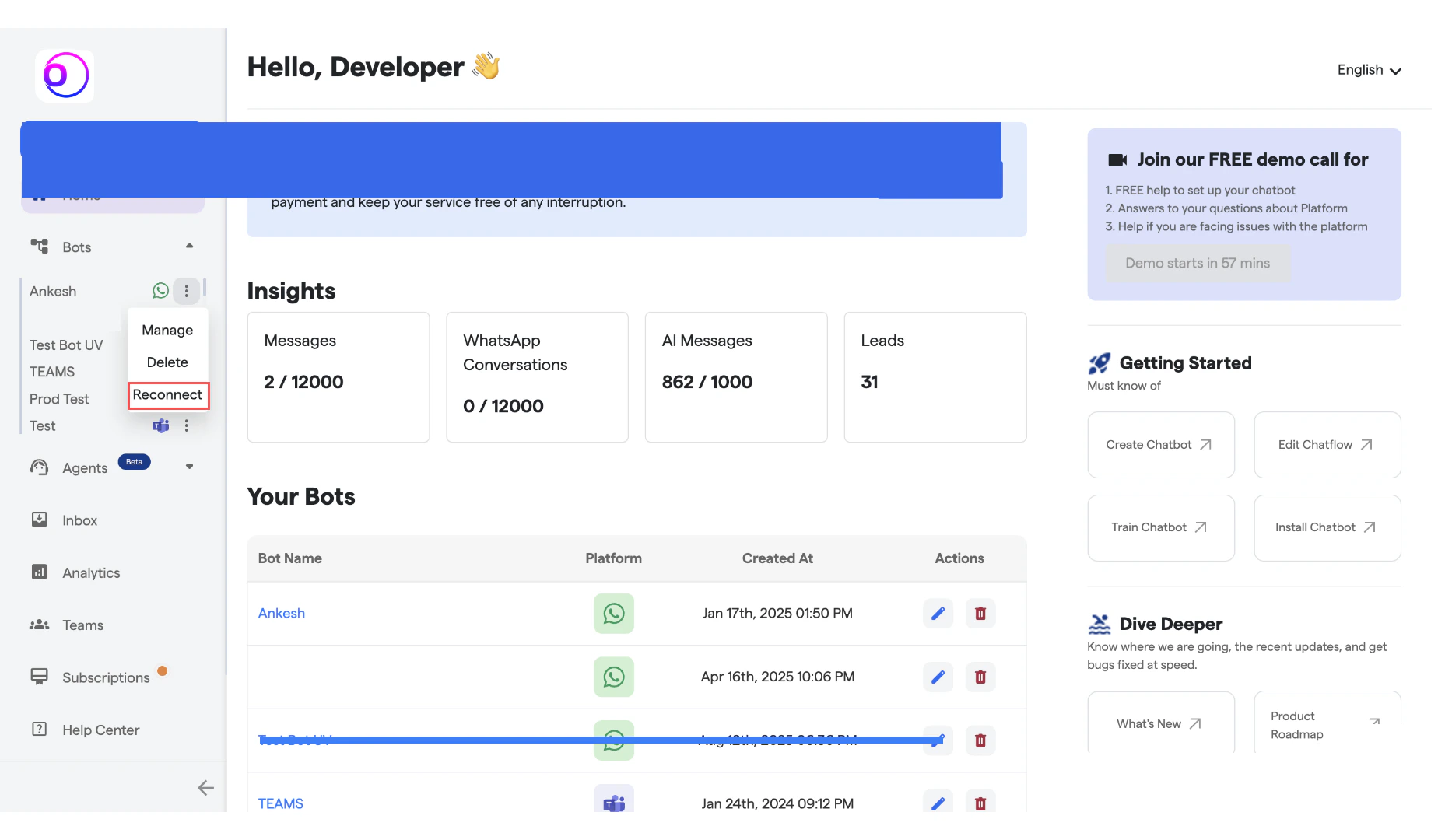
- Select the WhatsApp bot you want to reconnect with your whatsapp number.
-
Click on the dots in front of the bot as shown in the image and then click on “Reconnect”.
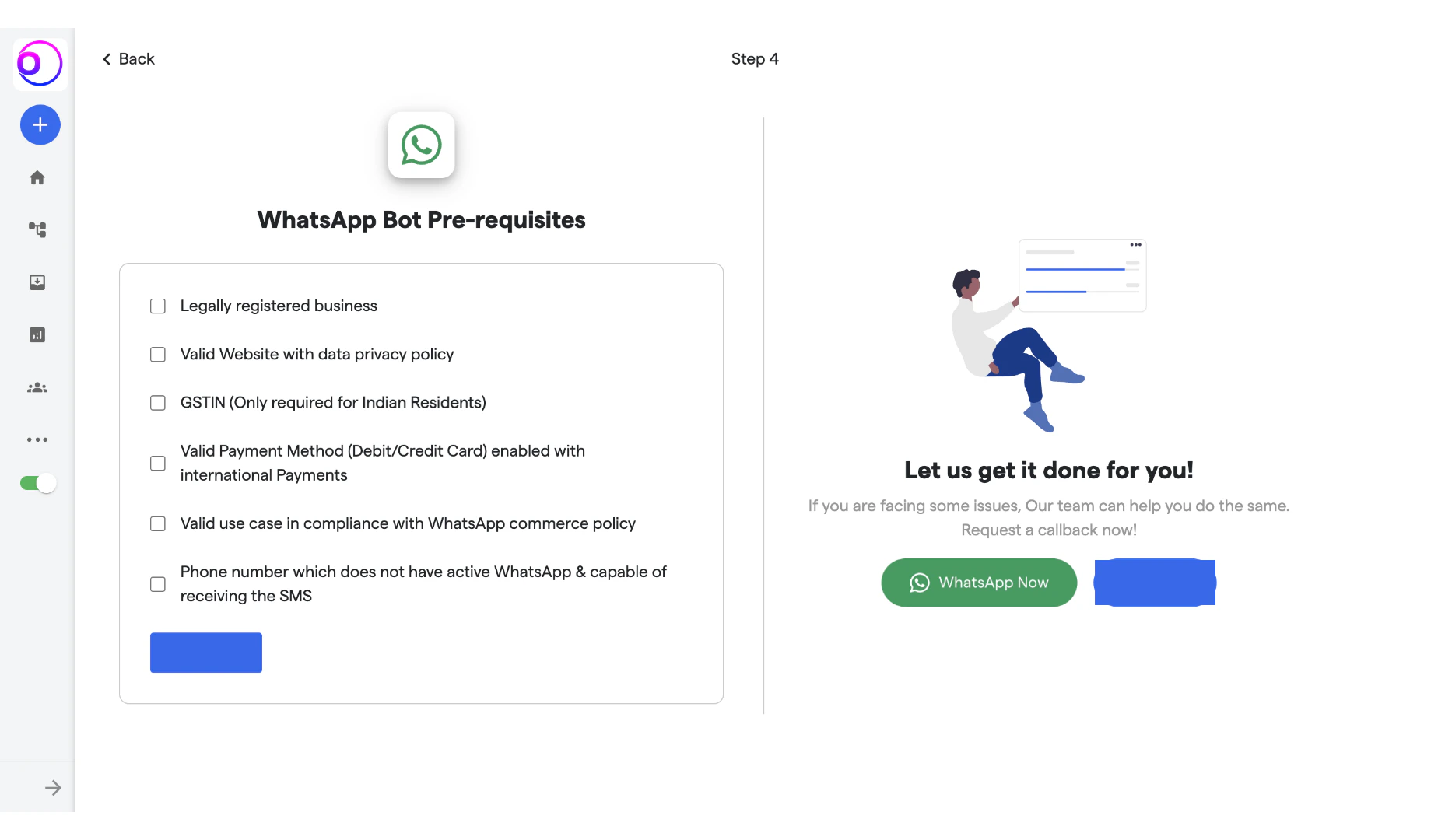
- You will be redirected on whatsapp bot pre-requisites page.
- Check for all the requirements before proceeding.
-
Click on “Proceed”.
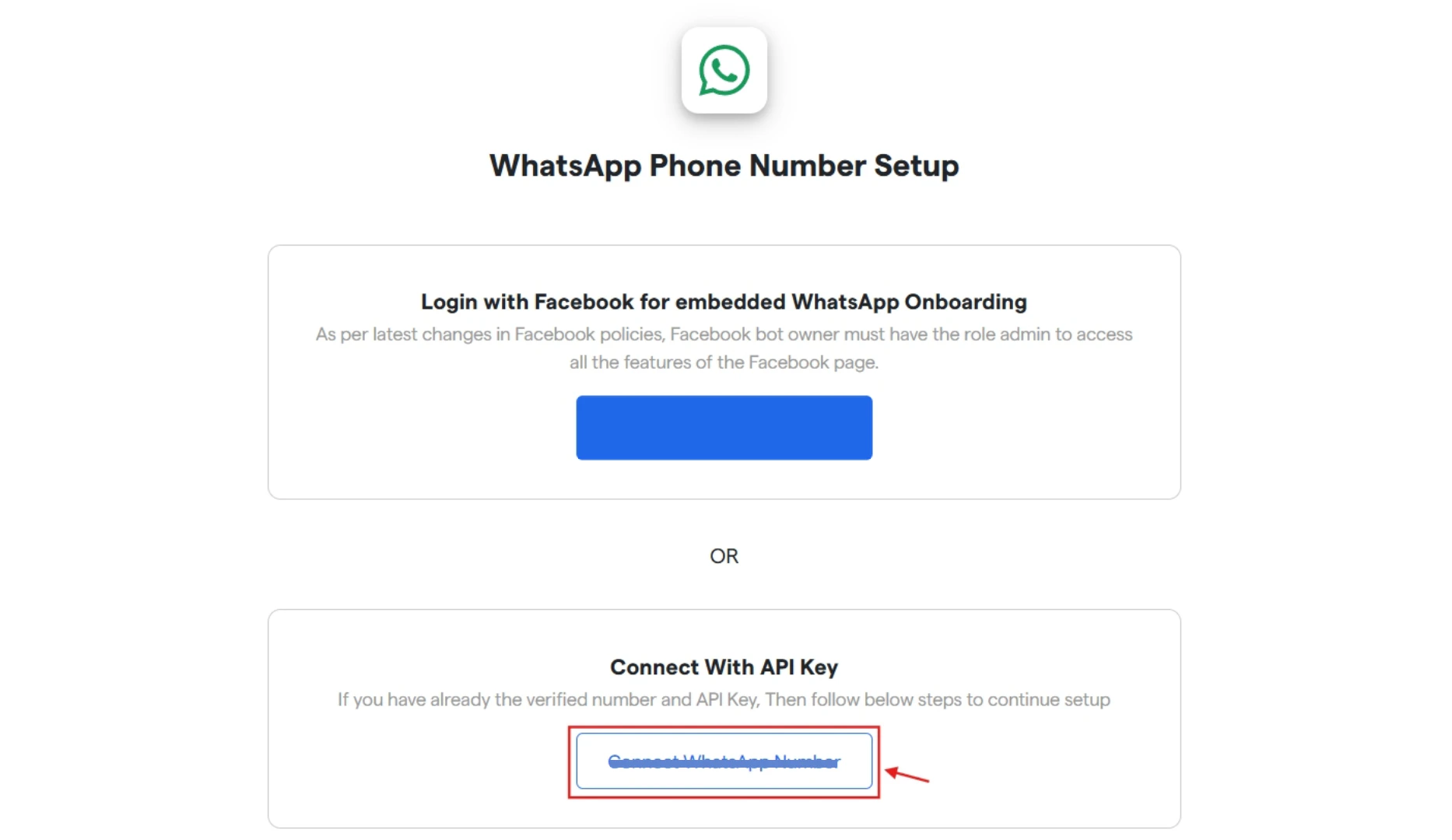
- Now select a method for setting up your phone number for whatsapp.
-
Here, we have explained using “Connect with API key”. Click on the button below.
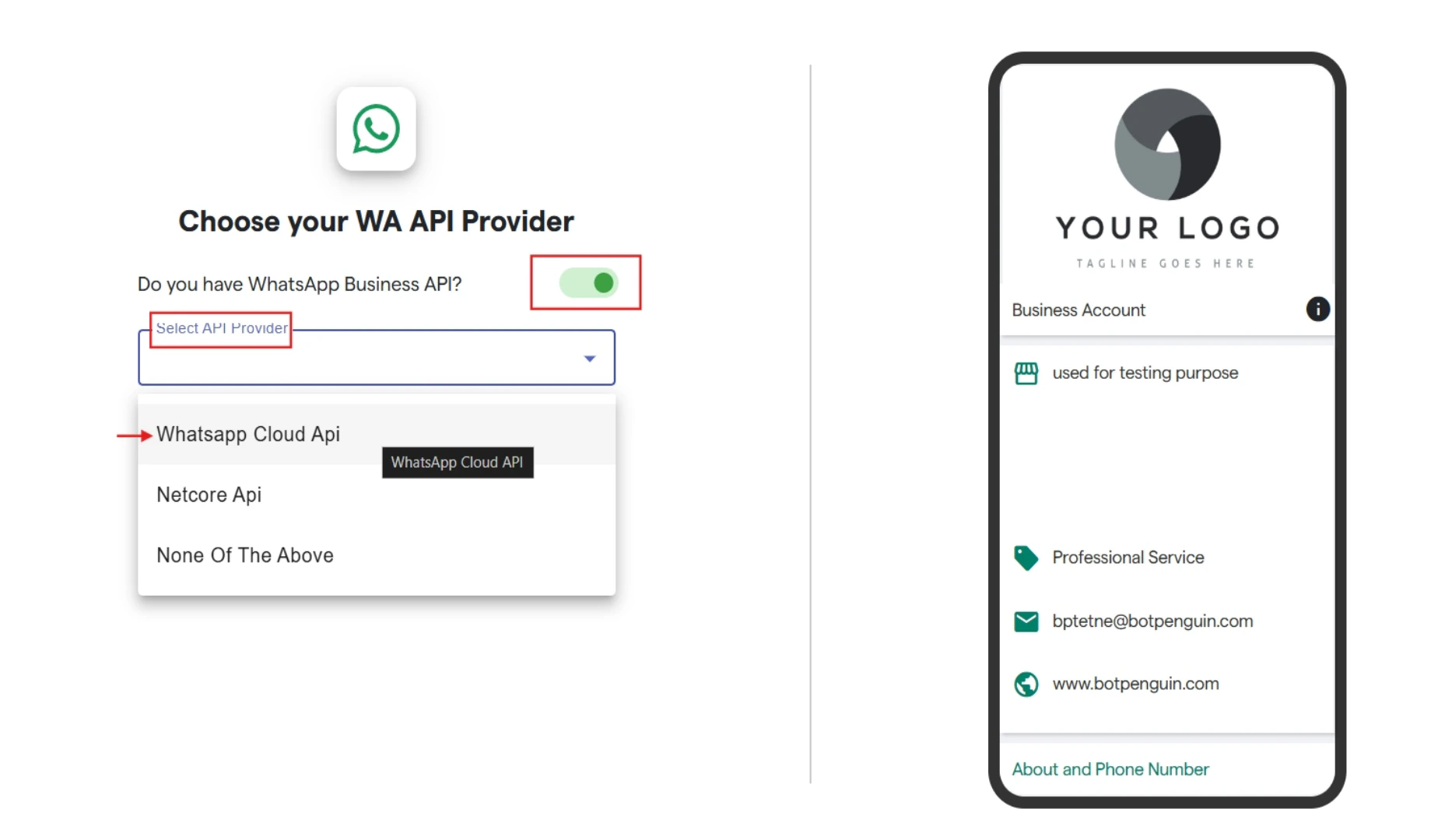
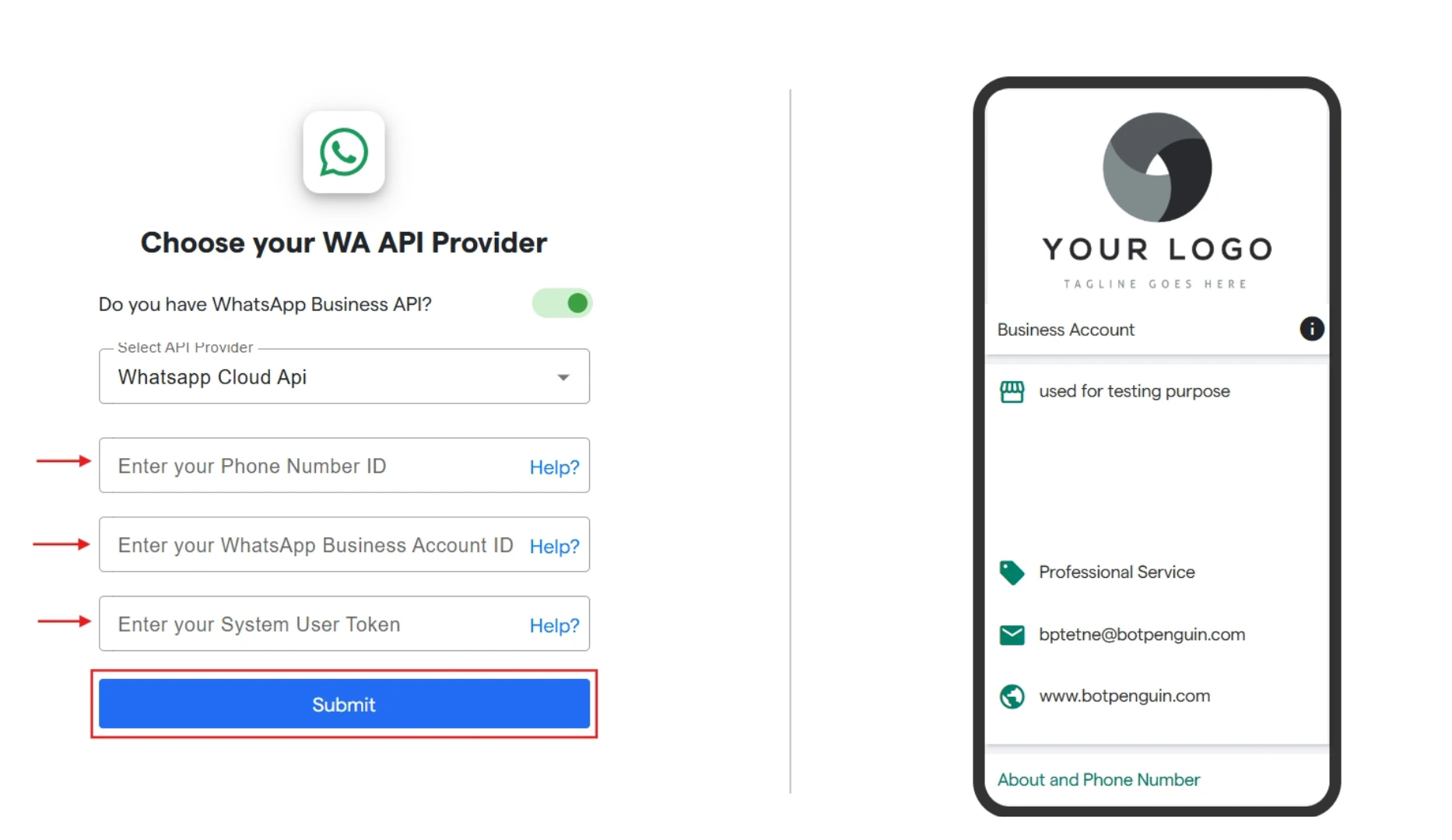
- Now choose your Whatsapp API provider.
- Turn on the toggle that you have Whatsapp business API
-
Click on “Select API Provider” to select from the drop down. Here, we have selected Whatsapp Cloud API.
- Once API Provider is selected. You have to fill the requested information.
-
Here, we have to enter phone number ID, enter your WhatsApp Business Account ID and System User Token.
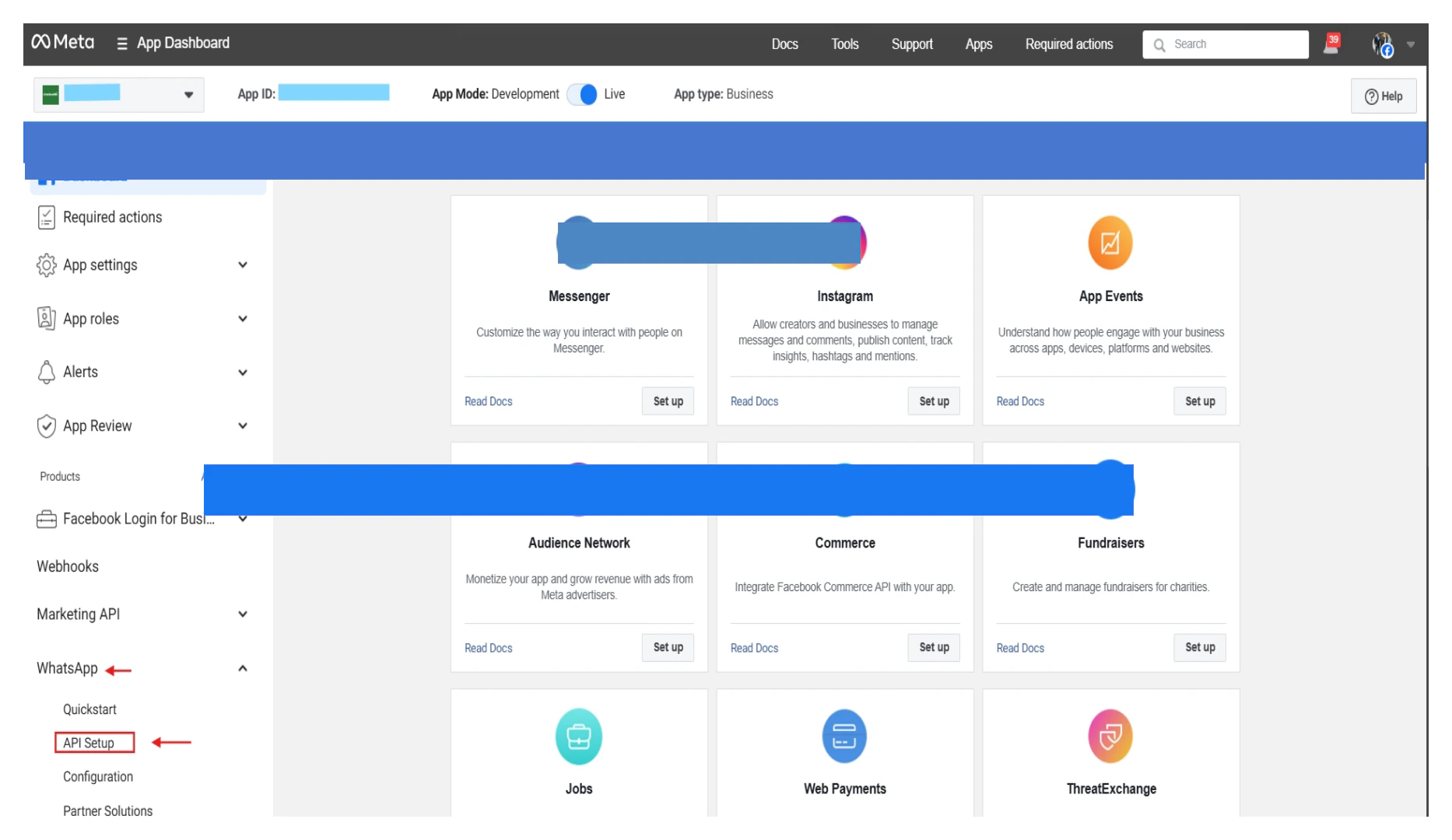
- Now to gather the required details. Open your Meta account and login with your Meta Business Account.
-
Now on Dashboard, click on Whatsapp and then select “API Setup”.
- Now in API Setup, firstly select the whatsapp number you want to reconnect with.
-
Then copy the phone number ID and Whatsapp Business Account ID and paste the same in OmnifitAI.
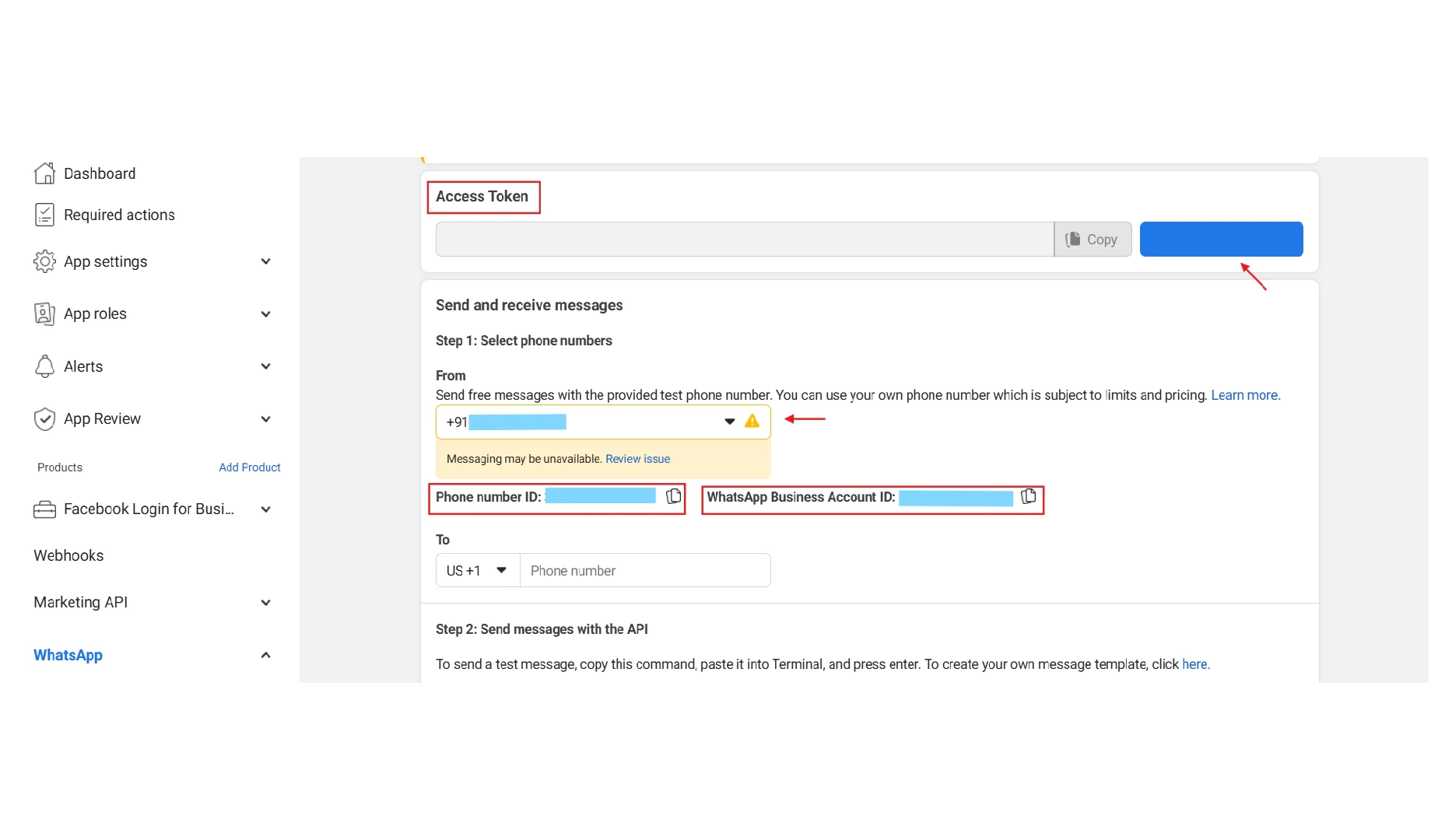
- Click on “Generate Access Token” and this will give you a new access token. Copy the same and paste in OmnifitAI.
- After completing all the steps and filling the required information. Click on “Submit”.